

Overview
Automations let Arden act on its own – daily summaries, inbox monitoring, reminders, or any task you would otherwise need to start manually. Each automation has one or more triggers (when to run), a standalone prompt (what to do), an optional short description for display, and optional notification behavior through configured notifiers. Multiple triggers use OR logic.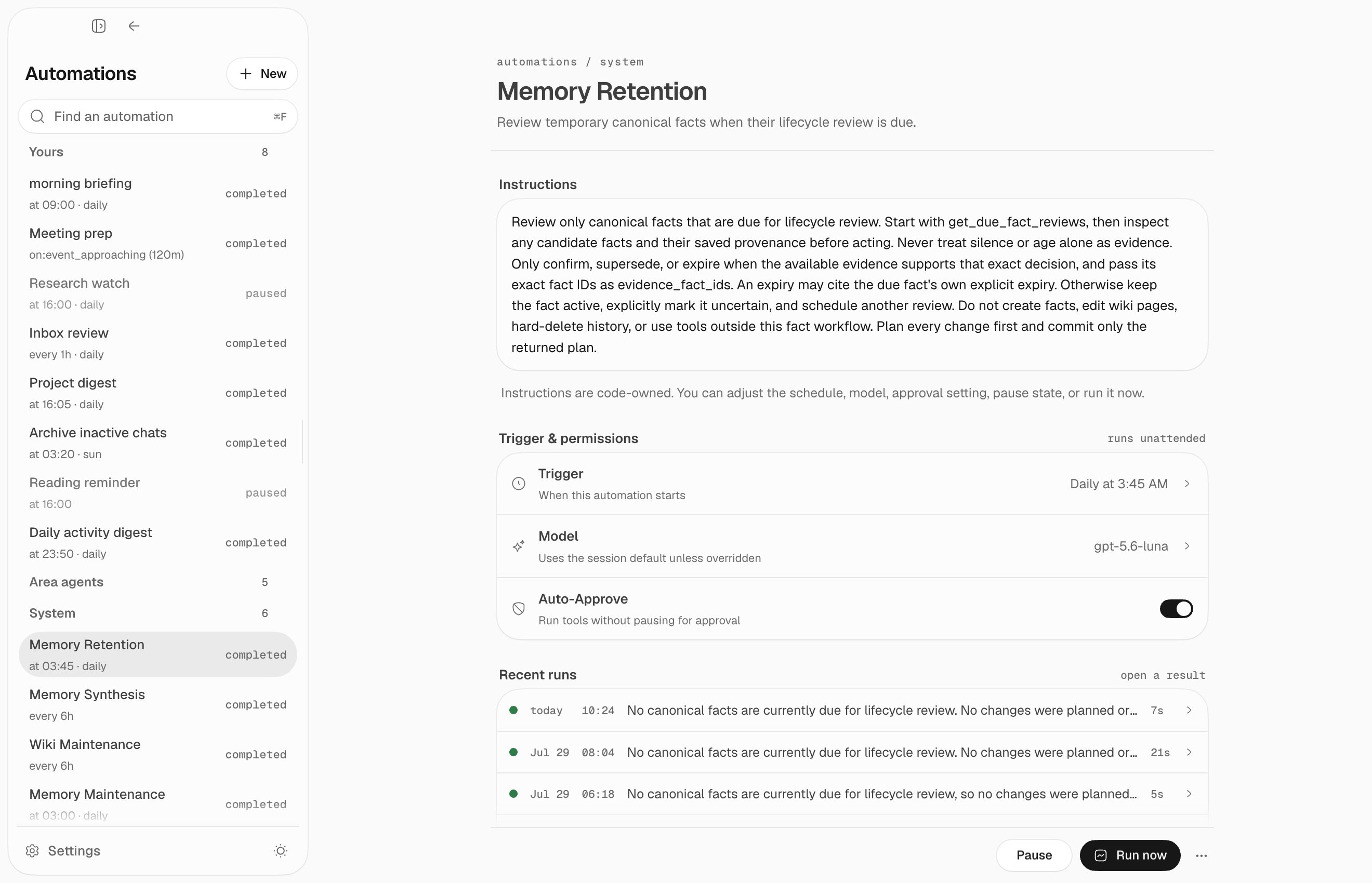
Trigger types
Scheduled
Run at a specific time, optionally on specific days:Interval
Run repeatedly at a fixed interval, with optional time windows:Event-driven
Trigger before calendar events:Idle
Fire once after a period of user inactivity. Resets when the user sends a new message.Count
Fire every N user messages in a session. The counter resets per session.Slack message
React to new Slack messages in named channels. Use this for a watcher instead of polling Slack on a timer. Add a sender filter when an auto-approved automation must not be driven by arbitrary senders.Automation channels
Each normal automation gets a new durable channel session by default. Its runs land in a transcript you can open, read, and reply to. A loop is different: it always attaches the current chat instead of creating a channel.Tool scoping
Every automation runs under a tool scope, and you choose between two:read_only (the default — the runs read but never write or execute) and all.
Pick all only when the prompt genuinely has to act. auto_approve skips
approval for tools the scope already grants; it never widens the scope. See
tool scoping.
Area agents
Area agents are channel automations seeded one per delegated area. Their explicit tool scope includes the terminalarea_submit_report action that validates and commits work, evidence, asks, and the next-check cadence.
Builtin automations
Arden ships with Memory Maintenance, Memory Retention, Memory Synthesis, Wiki Maintenance, and optional Memory Dream. When managed wiki history is enabled, Memory Storage Maintenance also prunes derived storage safely. They appear under System. You can pause them, adjust their cadence, or run them now.Creating automations
From chat
Use the automation tool in chat:Via the API
Stable creation keys
Send a stable semanticidempotency_key with idempotency_scope: "global" for every standalone automation. Reuse the exact pair only when a create request has an ambiguous outcome. First list automations to find the existing producer; update it instead of creating a date- or version-suffixed duplicate. An explicit deletion releases the key so the same job can be recreated with its original identity.
Approvals and permissions
By default, mutating or external actions still require approval. Leave an automationread_only unless it must act; toggle auto-approve only when the
actions its scope already grants must run headlessly without per-call approval.
Examples that may need auto-approve:
- sending email
- posting to Slack
- creating calendar events
- writing files or updating external systems
- creating, editing, or archiving results below
automations/in the managed wiki
Notifications
Configure notifier destinations in Settings → Notifications or through the notifier API. Automations can use thenotify tool to send results to configured channels such as Telegram, email, Slack, or shell commands.