> ## Documentation Index
> Fetch the complete documentation index at: https://arden.timganiev.com/llms.txt
> Use this file to discover all available pages before exploring further.
# MCP Servers
> Connect external MCP servers and expose their tools to Arden.
## Recommended setup
Use the desktop MCP setup assistant when adding a server.
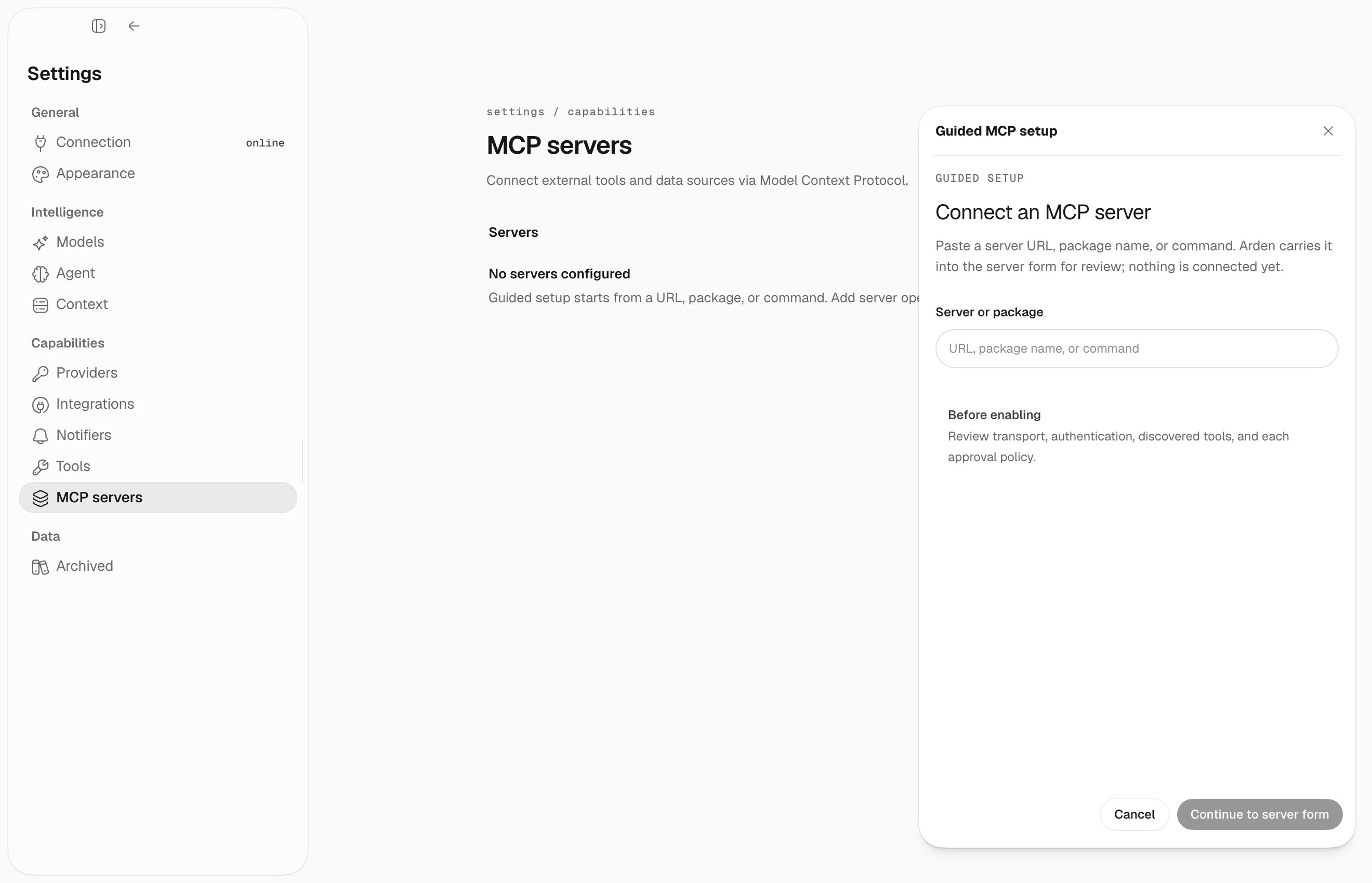 ### Open MCP settings
Go to **Settings → MCP**.
### Run the setup assistant
Click **Run setup assistant**.
Choose the transport:
* **stdio** – Arden launches a local command, such as `npx` or a local binary
* **Streamable HTTP** – Arden connects to a remote or local MCP endpoint
### Fill the fields or import JSON
The assistant can parse common MCP JSON shapes, including:
```json theme={null}
{
"mcpServers": {
"example": {
"transport": "stdio",
"command": "npx",
"args": ["-y", "@example/mcp-server"],
"env": { "EXAMPLE_API_KEY": "..." }
}
}
}
```
It also accepts direct server objects with `name` and `transport`.
### Save and reload
After saving, Arden reloads MCP providers and shows their tools in the provider list.
## Transport fields
| Transport | Required fields | Optional fields |
| --------- | --------------- | ------------------------------------------------------ |
| `stdio` | `command` | `args`, `env`, `cwd` |
| `http` | `url` | `headers`, auth-related fields supported by the server |
## Deferred tools
MCP tools are deferred by server group. For example, a server named `obsidian` is loaded by the agent with:
```text theme={null}
load_tools(group="mcp:obsidian")
```
## Troubleshooting
* **Command not found** – use an absolute command path or install the package/binary first.
* **Missing env var** – add required `KEY=value` entries in the server config.
* **HTTP auth failure** – check headers or tokens and whether the server expects OAuth.
* **No tools appear** – verify the server starts successfully and then reload MCP settings.
### Open MCP settings
Go to **Settings → MCP**.
### Run the setup assistant
Click **Run setup assistant**.
Choose the transport:
* **stdio** – Arden launches a local command, such as `npx` or a local binary
* **Streamable HTTP** – Arden connects to a remote or local MCP endpoint
### Fill the fields or import JSON
The assistant can parse common MCP JSON shapes, including:
```json theme={null}
{
"mcpServers": {
"example": {
"transport": "stdio",
"command": "npx",
"args": ["-y", "@example/mcp-server"],
"env": { "EXAMPLE_API_KEY": "..." }
}
}
}
```
It also accepts direct server objects with `name` and `transport`.
### Save and reload
After saving, Arden reloads MCP providers and shows their tools in the provider list.
## Transport fields
| Transport | Required fields | Optional fields |
| --------- | --------------- | ------------------------------------------------------ |
| `stdio` | `command` | `args`, `env`, `cwd` |
| `http` | `url` | `headers`, auth-related fields supported by the server |
## Deferred tools
MCP tools are deferred by server group. For example, a server named `obsidian` is loaded by the agent with:
```text theme={null}
load_tools(group="mcp:obsidian")
```
## Troubleshooting
* **Command not found** – use an absolute command path or install the package/binary first.
* **Missing env var** – add required `KEY=value` entries in the server config.
* **HTTP auth failure** – check headers or tokens and whether the server expects OAuth.
* **No tools appear** – verify the server starts successfully and then reload MCP settings.